How to ?
×
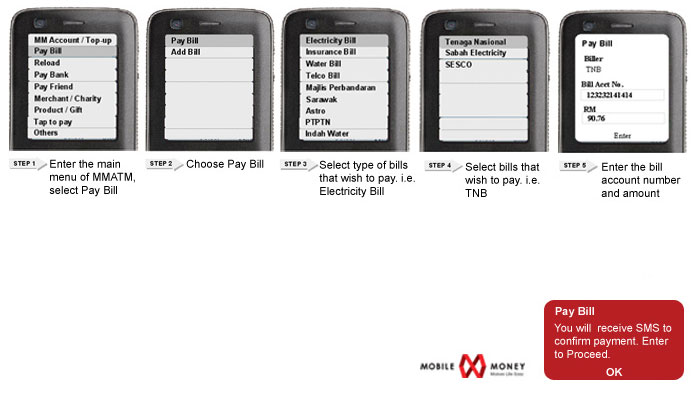
How to?
×
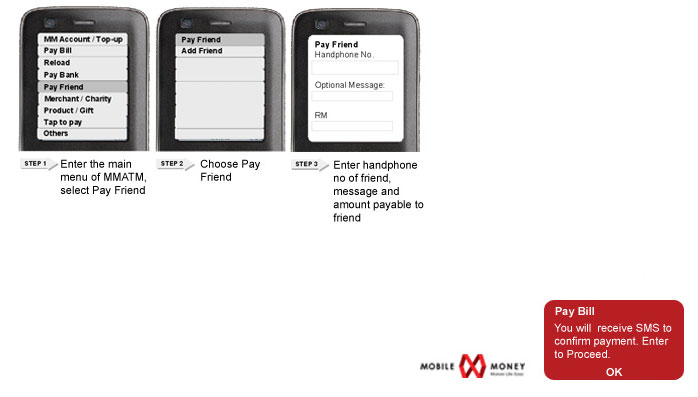
How to?
×
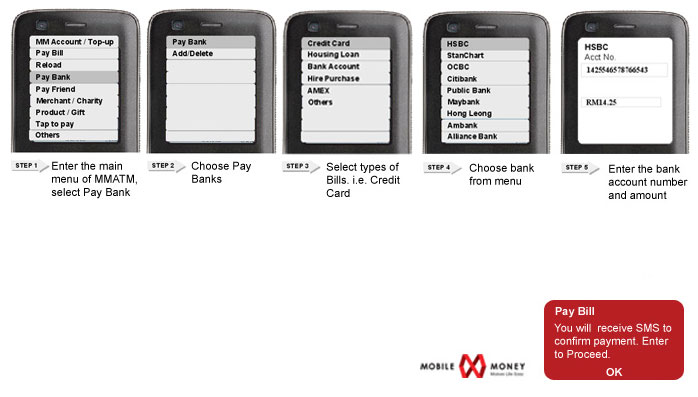
How to?
×
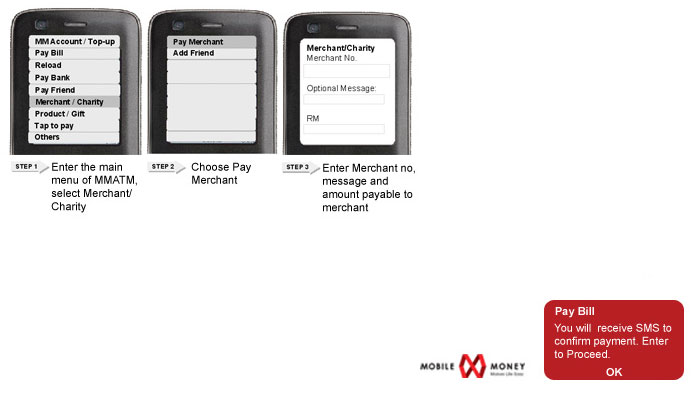
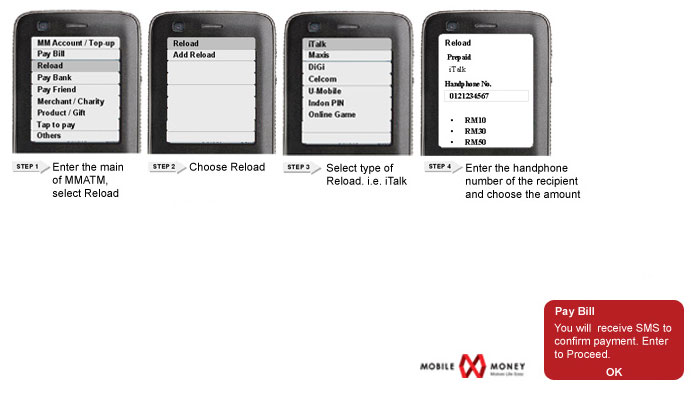
How tofor yourself, family or friends ?
×
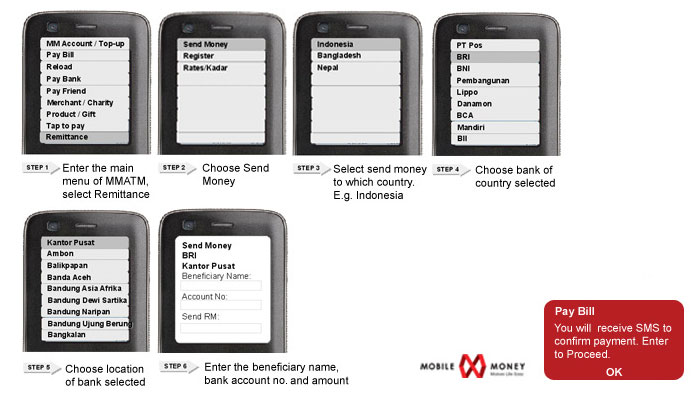
How tooverseas to a wide range of countries?
×
How To Top Up My MM Account?
There are many ways to top up your MM Account for your convenience. You can choose to top up manually, or automatically. Please choose the options below:
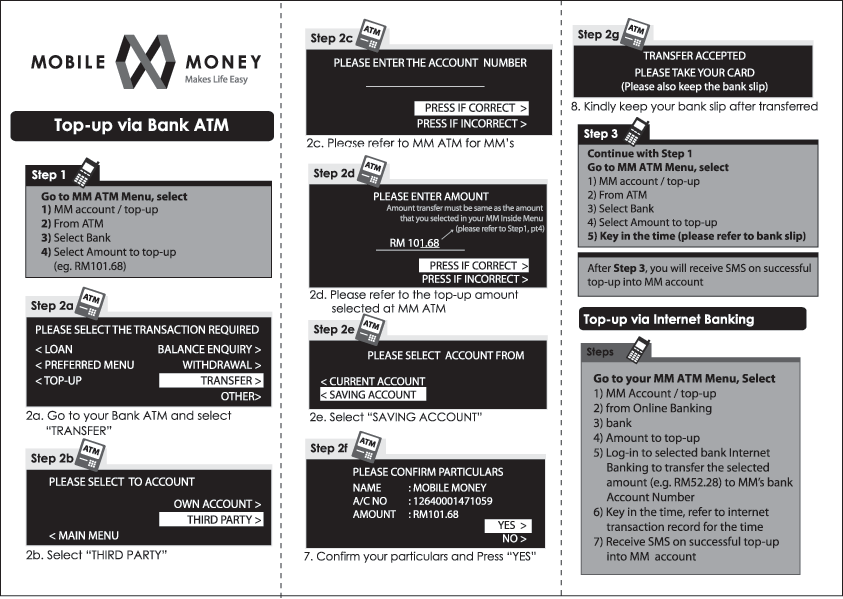
Top Up Via ATM Machines/ Online
You can opt to top up via ATM or Online Banking. Either way, just transfer the money from your bank account to MM Account following instructions given in the guide.
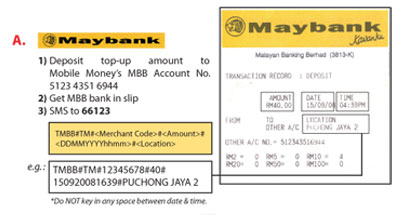
Top Up at Maybank Cash Deposit Machines
This is a step by step guide for customers who want to top up their MM Account at Maybank Cash Deposit Machines.
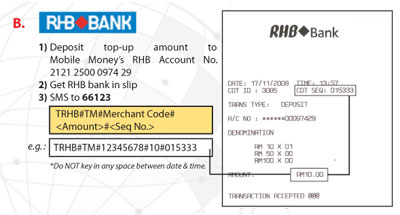
Top Up at RHB Bank Cash Deposit Machines
This is a step by step guide for customers who want to top up their MM Account at RHB Bank Cash Deposit Machines.
Copyrighted by